Project: Ultimate Roblox Shop
🎮 MINI PROJECT: Ultimate Roblox Catalog Shop 🏪
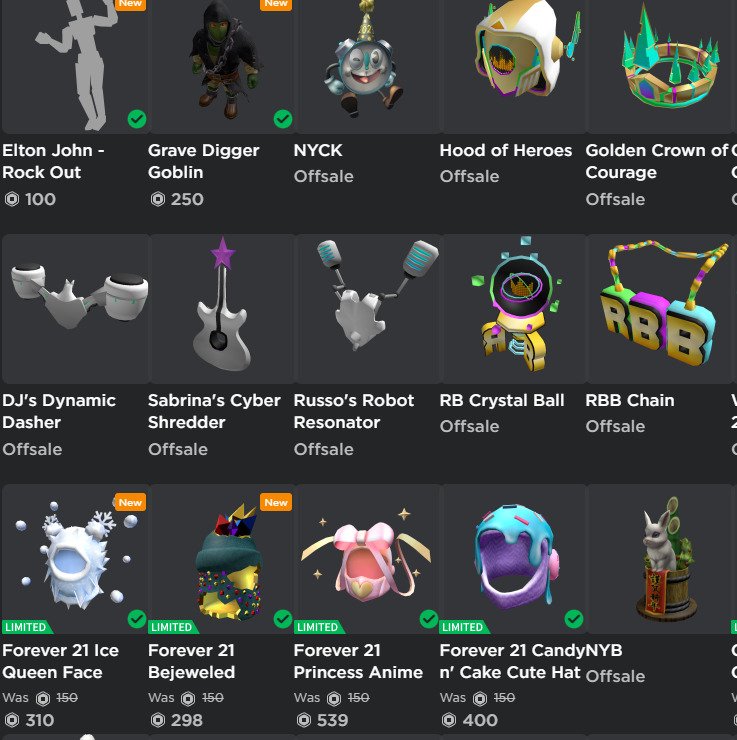
Build a complete Roblox shop where you can buy AND sell items repeatedly!
Step 1: Setup 🎯
Create these variables:
catalog = {
    "Dominus": 50000,
    "Sparkle Time Fedora": 15000,
    "Valkyrie Helm": 25000,
    "Rainbow Wings": 8000,
    "Golden Crown": 12000,
    "Bloxy Cola": 500
}
inventory = {}
items_bought = 0
items_sold = 0
- Ask user with input: "How much Robux do you have? "
- Convert to integer and store in
robux
Expected Output:
How much Robux do you have? 30000
Step 2: Display Shop Menu 📋
Create a function or section that prints:
=== ROBLOX CATALOG SHOP ===
[List all catalog items and prices]
Your Robux: [robux]
Your Inventory: [inventory]
Items Bought: [items_bought]
Items Sold: [items_sold]
Expected Output:
=== ROBLOX CATALOG SHOP ===
Dominus: 50000 Robux
Sparkle Time Fedora: 15000 Robux
Valkyrie Helm: 25000 Robux
Rainbow Wings: 8000 Robux
Golden Crown: 12000 Robux
Bloxy Cola: 500 Robux

Your Robux: 30000
Your Inventory: {}
Items Bought: 0
Items Sold: 0
Step 3: Main Action Loop 🔄
Create a while True: loop that:
- Asks: "What do you want to do? (buy/sell/quit): "
- Stores answer in variable
action
Expected Output:
What do you want to do? (buy/sell/quit):
Step 4: Buy Action 🛒
Inside the loop, add:
if action == "buy":
- Ask: "What item do you want to buy? "
- Check if item exists in catalog
- Check if player has enough Robux
- If both true:
- Subtract price from robux
- Add item to inventory with its price
- Increment
items_boughtby 1 - Print success message
- Handle errors (not enough robux, item doesn't exist)
- Show updated robux and inventory
Expected Output (Success):
What item do you want to buy? Valkyrie Helm
You bought Valkyrie Helm for 25000 Robux!
You now have 5000 Robux
Your Inventory: {'Valkyrie Helm': 25000}
Items Bought: 1
Expected Output (Not Enough Robux):
What item do you want to buy? Dominus
Not enough Robux! Dominus costs 50000 Robux
Expected Output (Item Doesn't Exist):
What item do you want to buy? Ninja Sword
Item not found in catalog!
Step 5: Sell Action 💰
Inside the loop, add:
elif action == "sell":
- Ask: "What item do you want to sell? "
- Check if item exists in inventory
- If yes:
- Calculate sell price (50% of original value)
- Add sell_price to robux
- Remove item from inventory using
del - Increment
items_soldby 1 - Print success message
- If item not in inventory, print error
- Show updated robux and inventory
Expected Output (Success):
What item do you want to sell? Bloxy Cola
You sold Bloxy Cola for 250 Robux!
You now have 4750 Robux
Your Inventory: {'Valkyrie Helm': 25000}
Items Sold: 1
Expected Output (Item Not in Inventory):
What item do you want to sell? Rainbow Wings
You don't own that item!
Step 6: Quit Action 🚪
Inside the loop, add:
elif action == "quit":
- Print final Robux amount
- Print final inventory
- Print total items bought and sold
- Use
breakto exit the loop
Expected Output:
Final Robux: 4750
Final Inventory: {'Valkyrie Helm': 25000}
Total Items Bought: 2
Total Items Sold: 1
Thanks for shopping!
Step 7: Invalid Action ⚠️
Add an else: statement:
- Print "Invalid action! Please type buy, sell, or quit"
Expected Output:
What do you want to do? (buy/sell/quit): trade
Invalid action! Please type buy, sell, or quit
Complete Example Output: 📺
How much Robux do you have? 30000

=== ROBLOX CATALOG SHOP ===
Dominus: 50000 Robux
Sparkle Time Fedora: 15000 Robux
Valkyrie Helm: 25000 Robux
Rainbow Wings: 8000 Robux
Golden Crown: 12000 Robux
Bloxy Cola: 500 Robux

Your Robux: 30000
Your Inventory: {}
Items Bought: 0
Items Sold: 0

What do you want to do? (buy/sell/quit): buy
What item do you want to buy? Valkyrie Helm
You bought Valkyrie Helm for 25000 Robux!
You now have 5000 Robux
Your Inventory: {'Valkyrie Helm': 25000}
Items Bought: 1

What do you want to do? (buy/sell/quit): buy
What item do you want to buy? Bloxy Cola
You bought Bloxy Cola for 500 Robux!
You now have 4500 Robux
Your Inventory: {'Valkyrie Helm': 25000, 'Bloxy Cola': 500}
Items Bought: 2

What do you want to do? (buy/sell/quit): sell
What item do you want to sell? Bloxy Cola
You sold Bloxy Cola for 250 Robux!
You now have 4750 Robux
Your Inventory: {'Valkyrie Helm': 25000}
Items Sold: 1

What do you want to do? (buy/sell/quit): buy
What item do you want to buy? Dominus
Not enough Robux! Dominus costs 50000 Robux

What do you want to do? (buy/sell/quit): trade
Invalid action! Please type buy, sell, or quit

What do you want to do? (buy/sell/quit): quit
Final Robux: 4750
Final Inventory: {'Valkyrie Helm': 25000}
Total Items Bought: 2
Total Items Sold: 1
Thanks for shopping!
💡 Tips for the Mini Project:
- Use
while True:for infinite loop - Use
breakto exit the loop - Access dict values:
catalog[item] - Add to dict:
inventory[item] = price - Remove from dict:
del inventory[item] - Check if key exists:
if item in catalog: - Integer division for 50%:
price // 2 - Increment counters:
items_bought += 1
🌟 Bonus Challenges:
- Add more items to the catalog
- Make selling give 75% back instead of 50%
- Add a "view" action to see catalog without buying
- Add special "limited" items that increase in price after purchase
Try it yourself
Code: Project: Ultimate Roblox Shop
ℹ️ About this Python environment
✅ Standard library: heapq, collections, itertools, math, random, functools, datetime, bisect
✅ Functions, classes, recursion, print()
❌ No file system, subprocess, OS access, or network requests
❌ No pip install (all supported modules are pre-loaded)
⏱️ 5 second execution time limit